Storage systems

Storage servers from Thomas-Krenn

Fast information processing with storage systems

In the context of digitalization, IT managers are faced with the challenge of storing and accessing constantly growing volumes of data securely and efficiently. By 2025, the amount of data will have increased fivefold since the 2010s. Conventional storage solutions often quickly reach their limits, which leads to problems with data management. A high-performance storage server offers the solution to increase capacity. At Thomas-Krenn you will find a diverse selection of storage systems, such as JBOD, SAN, NAS and DSA, for which we explain the respective differences and advantages here.

To the purchase advice

Our storage servers at a glance

JBOD Systems

Individually configurable disk expansion units, adapted to each application.

Open-E

A reliable data storage system based on the ZFS file system

Microsoft S2D & Azure Local

Software Defined Storage for Windows Server and Azure Local

VMware vSAN

Certified server systems for vSAN

StorMagic Virtual SAN

The cost-effective storage virtualization for highest availability

Synology NAS

The storage solution to centralize data protection, simplify data management, and to increase storage capacity

Open storage systems (OSS)

Optimized and flexible storage hardware in 4 variants with TrueNAS

Ceph

The software for nearly infinitely expandable storage
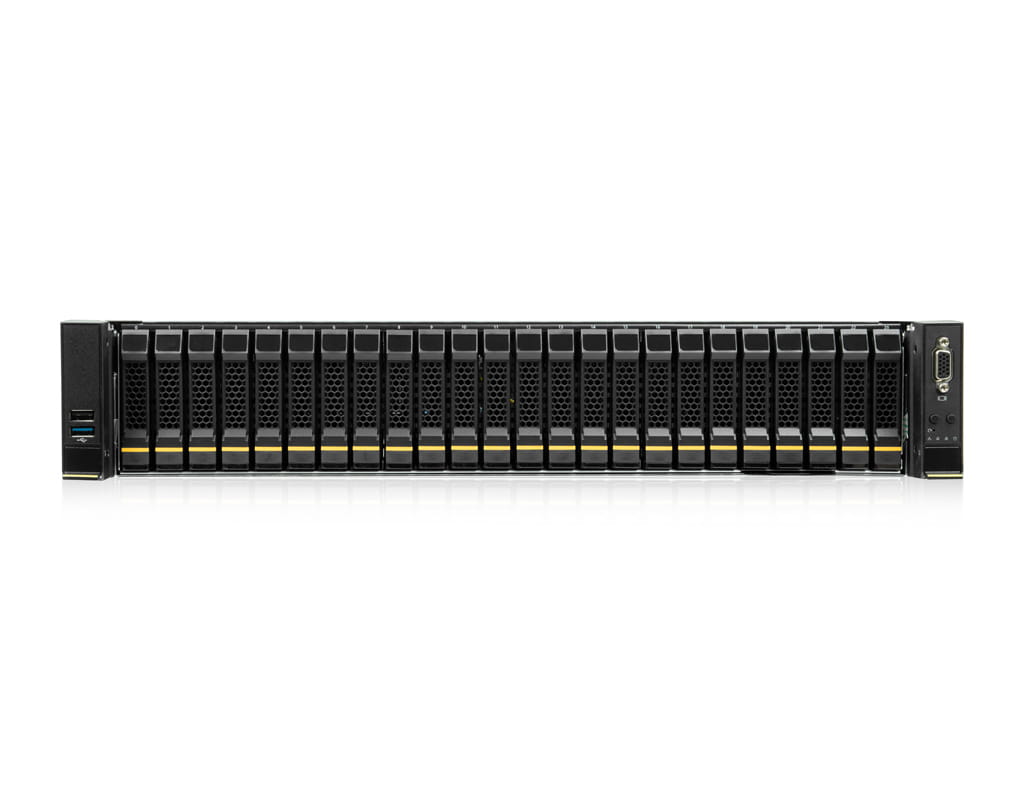
2U disk expansion unit JBOD Jx212
  • 2U
  • Up to 12 drives
  • Max. capacity:
  • 368.64 TB SAS 24Gb/s
  • 288 TB SATA 6Gb/s
  • 368.64 TB SAS 12Gb/s
  • Scalability depends on RAID controller
starting at1.825
Open-E RA1208
Highlights
AMD EPYC 9005, DDR5 RDIMM, up to 8x SAS/SATA/NVMe
  • Upgradable up to:
  • 1 x AMD EPYC 9004 (Genoa)
  • AMD EPYC 9005 (Turin)
  • CPU cores: 8-16
  • 512GB RAM
  • 8x drives
  • max. 245.76 TB
  • 2x 10Gbit/s LAN (RJ45)
  • 4 Additional cards
  • red. NT
  • Price incl. 1x AMD EPYC 9015 and 16 GB RAM
starting at3.209
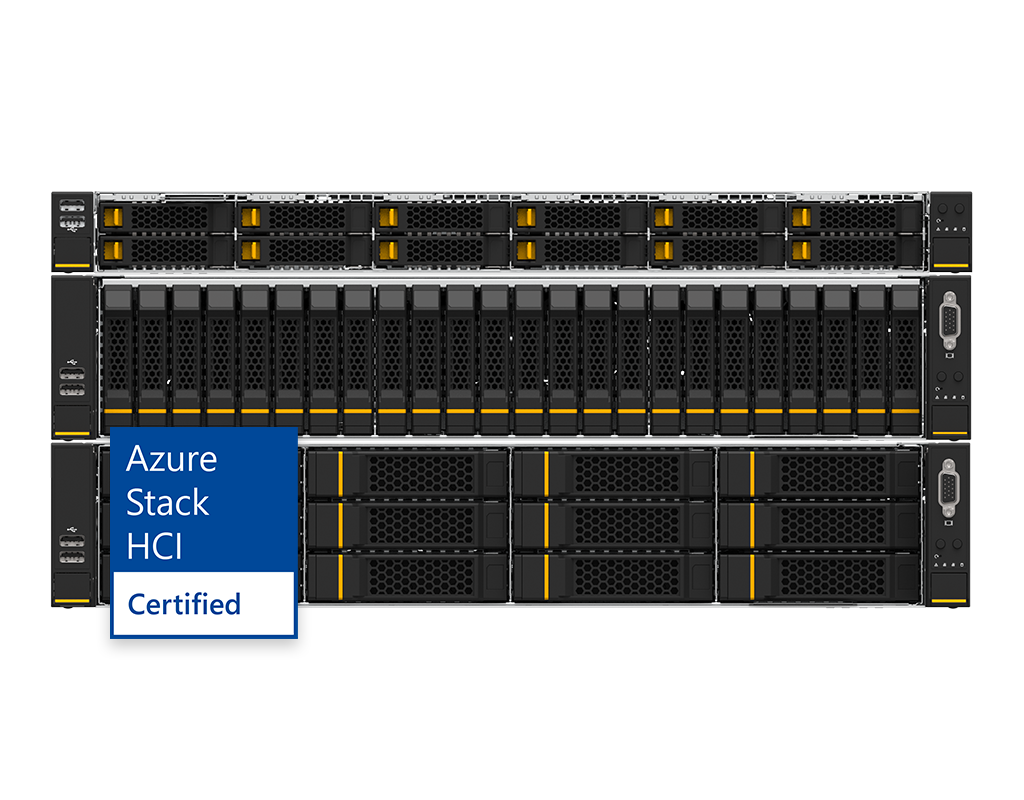
Azure Local RI2112
Highlights
Azure Local Validated Nodes
  • 2x Intel Scalable 5th Gen CPU
  • Up to 2x 60-Core CPU
  • Up to 4 TB RAM
  • Full-Flash (NVMe / SSD)
starting at8.079
2U AMD single-CPU RA1212-AIEPN server (vSAN)
Highlights
AMD EPYC 9004, DDR5 RDIMM
  • Upgradable up to:
  • 1 x AMD EPYC 9004 (Genoa)
  • AMD EPYC 9005 (Turin)
  • CPU cores: 8-128
  • 1.536TB RAM
  • 12x drives
  • max. 122.88 TB
  • 2x 10Gbit/s LAN (RJ45)
  • 5 Additional cards
  • red. NT
  • Price incl. 1x AMD EPYC 9015 and 16 GB RAM
starting at3.395
Storage bestseller
  • The most popular system in this category
Synology RS822RP+ NAS
  • NAS
  • 96 TB SATA/SSD/HDD
  • 4 x drives
  • scalable up to 8 x HDD(s)
  • AMD Ryzen V-Series V1000 (4 cores 2.2 GHz)
  • up to 32 GiB RAM
starting at1.025
instead of1.220
OSS Basic
Highlights
AMD EPYC 9005, DDR5 RDIMM, up to 8x SAS/SATA/NVMe
  • Upgradable up to:
  • 1 x AMD EPYC 9004 (Genoa)
  • AMD EPYC 9005 (Turin)
  • CPU cores: 8-16
  • 512GB RAM
  • 8x drives
  • max. 245.76 TB
  • 2x 10Gbit/s LAN (RJ45)
  • 4 Additional cards
  • red. NT
  • Price incl. 1x AMD EPYC 9015 and 16 GB RAM
starting at3.209
Proxmox VE Ceph HCI (RI2112)
Highlights
Optimized for Proxmox VE Ceph
  • Upgradable up to:

  • 2x Intel Xeon Scalable 5th Gen
  • CPU cores: 8-60
  • max. 4TB RAM
  • 12x data carriers
  • 2x 10Gbit/s LAN (RJ45)
  • up to 4 additional cards
  • red. Power supply unit

    Price incl. 1x Intel Xeon Silver 4309Y and 16 GB RAM

starting at8.179

All prices are net prices and do not include statutory VAT; they are intended exclusively for entrepreneurs (Section 14 of the German Civil Code (BGB)), legal entities under public law and special funds under public law.

Advantages of storage servers for your company

Companies today store significantly more data than just a few years ago. A high-performance storage system ensures that this information is stored in a structured manner, can be accessed quickly and is secured for the long term. Modern storage servers bundle storage resources centrally and thus create the basis for efficient processes, high data security and a scalable data infrastructure. The most important advantages at a glance:

  • Scalable storage: A storage server grows with the company. Drives, JBOD extensions or additional nodes increase the storage capacity without changing the system.
  • High availability: Redundant components, RAID configurations and hot-swap drives reduce the risk of failure and ensure stable access to data.
  • Efficient data management: Automated processes, fast access rates and consistent structures make it easier to work with large volumes of data.
  • Wide range of applications: From backup systems and file servers to storage servers for virtualization, they cover a wide variety of applications.

  • Central data storage: Storage systems bundle your data volumes in one place. This simplifies administration, access rights, backups and the use of shared data in multiple applications.
  • Security: Encryption, access control and separate storage areas protect sensitive information and meet compliance requirements.
  • Cost efficiency: A consolidated storage and network architecture reduces hardware, operating and maintenance costs in the long term.

  • Wide range of applications: From backup systems to file servers to storage servers for virtualization, they cover a wide variety of applications.

Thomas-Krenn-Server

Storage server according to application and area of use

Companies today work with very different data structures and workloads. A suitable storage server ensures that storage, networks and performance exactly match these requirements. The following areas of application show which solutions have proven themselves in practice.

Storage server with applications
  • Storage for virtualization: Storage servers with consistent I/O performance and low latencies are the foundation of virtual environments. They provide central block or file storage, support hypervisors and ensure that virtual machines run stably and with high performance. SAN or SDS storage systems are particularly suitable here because they combine scalability and high availability.
  • Storage for backup and archiving: Capacity and reliability are essential for the long-term backup of large volumes of data. JBOD extensions, hybrid storage systems or dedicated NAS servers offer large storage capacity and enable regular backups, versioned storage and efficient data archiving.
  • Storage for data-intensive applications: Analyses, databases, CAD workflows or machine learning require high throughput rates. Powerful storage servers with fast SSD pools, NVMe drives or optimized RAID setups provide the necessary performance. SAN servers are often used when high IOPS and stable data throughput are crucial.
  • Storage in hybrid IT environments: Many companies combine local systems with cloud services. Storage servers serve as a central interface here and enable the connection to hybrid architectures. Software-defined storage or Synology variants support these usage scenarios with flexible storage management and standardized data storage.
  • Storage for high availability: When applications need to be accessible at all times, reliability counts. Systems with redundant controllers, RAID arrays and hot-swap components safeguard operations. In combination with SAN topologies or SDS clusters, highly available storage environments can be set up that remain online even in the event of a fault.

NAS

SAN

  • File-based access via the network
  • Simple integration into existing IT environments

  • Centralized data storage for multiple users and applications

  • Management via user-friendly interfaces (e.g. web GUIs)

  • Suitable for small and medium-sized companies

  • Supports backups, user rights and shares

  • Scalable storage capacity through expansion units

  • Ideal for file sharing, data backup and basic business applications

To the NAS storage servers

  • Block-based storage for maximum speed

  • Dedicated networks with high bandwidth

  • High I/O performance and low latency

  • Centralized management of virtualized storage resources

  • Scalable for data-intensive workloads and large environments

  • Suitable for databases, virtualization and high-performance applications

  • Redundant paths and components for high availability

  • Use in data centers and demanding enterprise environments

To the SAN storage servers


JBOD


DAS

  • Capacity expansion of existing storage systems
  • Cannot be operated alone, requires host/node/server

  • Control via controller or head units

  • Simple integration via 1- or 2-port connection

  • Different power supply options

  • Support for different data carrier types

  • Ideal for growing storage requirements and archiving

  • Cost-efficient option for storage expansion

To the JBOD storage servers

  • Directly connected storage systems (host-bound)

  • Serial point-to-point connection with very low latency

  • High performance for individual applications

  • No central storage system, storage separated per server

  • Ideal for workloads with direct local access

  • Short transmission paths for stable data rates

  • Economical alternative to network-based storage systems

  • Useful for individual servers, workstations and dedicated services

To the JBOD storage servers

The differences between NAS, SAN, JBOD and DAS lie primarily in the access method, performance profile and typical areas of application. While NAS systems provide file-based storage for shared storage, SAN structures provide block-based high-performance access for demanding workloads. JBOD enclosures expand existing environments with additional storage, while DAS solutions enable direct, low-latency connection of individual servers. You can find a detailed technical comparison in the magazine.
In addition to traditional storage servers, many companies now rely on software-based storage structures to flexibly combine hardware and centrally control resources. Software-defined storage breaks the link to individual systems or controllers and creates a standardized, scalable storage platform from different data carriers. Open-E, Microsoft S2D and virtualized storage nodes enable highly available clusters, consistent management and efficient use of existing hardware.

Configure and buy storage servers from Thomas-Krenn

At Thomas-Krenn, you can configure your storage server exactly according to your requirements. Capacity, data carriers, controllers and network connection can be configured flexibly. This means that the server is perfectly suited to your applications - whether for virtualization, backup, file services or data-intensive workloads. You can choose from storage servers from our own production as well as data storage solutions from established manufacturers such as Synology and thus combine the right technology for your application.
During configuration, you will be accompanied by a personal contact personwho will clarify technical questions and recommend an optimal configuration. This gives you a storage server that works reliably, remains scalable and integrates seamlessly into your data infrastructure. Our purchasing advice will help you quickly find the right basis for your project.

eKomi Gold Seal

Excellence through the highest standards

Bavaria's Best 50
2023

TOP companies in Lower Bavaria 2024

Frequently asked questions about storage servers

A storage server is a central storage location for your company data. It reliably stores large amounts of data and ensures that applications and users can access it quickly.
A storage server runs in your own network and remains completely under your control. Cloud storage is flexible, but is hosted by an external provider and involves ongoing costs and a dependency on their infrastructure.
NAS provides files via the network and is suitable for shared storage or backup tasks. SAN works block-based, achieves significantly higher performance and is therefore often used for virtualization or data-intensive applications.
RAID distributes data across several hard disks, thereby increasing speed and reliability. If a drive fails, the data still remains available and can be restored.
A high level of security can be achieved through encryption, clear access rules, RAID and regular backups. A clean setup and continuous monitoring of the systems are crucial.
Hybrid storage environments combine local systems with cloud resources. They are suitable when certain data should remain in the company, but others can be outsourced flexibly or economically.
Storage servers can be expanded with additional drives, JBOD units or additional nodes. This means that the system grows gradually and does not need to be completely replaced.
The costs depend on capacity, data carriers and performance requirements. Simple storage systems are an economical alternative to servers for virtualization or high-load workloads that require more powerful hardware.
The basis is the current demand, supplemented by realistic growth forecasts and planned projects. We recommend a configuration that can be easily expanded at a later date.
Regular updates, monitoring and checking the health of the drive should be part of routine operation. A reliable backup concept and monitoring of temperature and RAID status are also important for reliable use.