

 wiki
wikiReset VMware ESXi root password
| Please note that this article / this category refers either on older software / hardware components or is no longer maintained for other reasons. This page is no longer updated and is purely for reference purposes still here in the archive available. |
|---|
If you forgot your vSphere ESXi * / 6 host root password, the only supported option by VMware for recovery is a new installation of the host.
Additional Information in the VMware Knowledge Base Article
How you can still reset the root password without a new installation , we will show you in this article.
However, we would like to emphasize that this approach may be neither be supported by VMware still by Thomas-Krenn.
Method
You must boot a linux live system, or an installed linux system on another disc, on the vSphere Host. In our example, an installed Ubuntu 14.04 was used , the vSphere installation was on an USB stick .
-
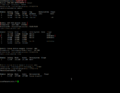 check with parted the partitions
 -
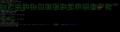 Mount the corresponding partition (the first after the boot partition) and unzip the state.tgz directory . The shadow file can be opened with an editor
 -
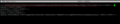 Between the first two colons is the encrypted root password
 -
 Delete all characters between the first two colons and save the change
 -
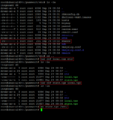 Create the local.tgz archive again and then the state.tgz archive and move it to the Mount Path
 -
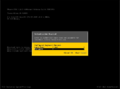 You can log in as root on the vSphere Host now without a password
 -
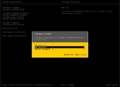 Configure a new root password


Author: Sebastian Köbke


Related articles
StorMagic SvSAN installation on VMware
SvSAN Software Upgrade
SvSAN Target Plex Unsynchronized / Target offline



