

 wiki
wikiASUS P11C-M/4L BIOS update
ASUS systems with ASMB9 Remote Management offer the opportunity to perform a BIOS Update via ASMB9 webinterface. The following example shows the process of this update with an ASUS P11C-M/4L mainboard.
Download of BIOS update
The following screenshots show the steps of the BIOS update:
-
 Select "BIOS update" in "Maintenance".
 -
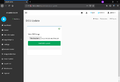 Select BIOS file and click on "Start BIOS update".
 -
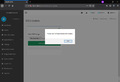 If the system is running, a message will appear instructing you to shut down the system for the update.
 -
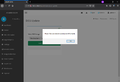 Information on the shut down of the system.
 -
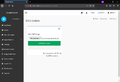 The BIOS update can now be started.
 -
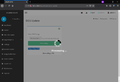 The BIOS update is uploaded.
 -
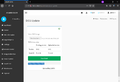 Information on the BIOS versions are displayed. The flash process is started by clicking on "Start flash".
 -
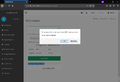 The system cannot be restarted during the flash process.
 -
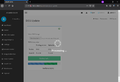 Flash process is ongoing.
 -
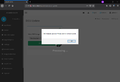 The BIOS update was successfully completed.
 -
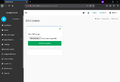 The page for the BIOS update reappears after the update.


 |
Author: Werner Fischer Werner Fischer, working in the Knowledge Transfer team at Thomas-Krenn, completed his studies of Computer and Media Security at FH Hagenberg in Austria. He is a regular speaker at many conferences like LinuxTag, OSMC, OSDC, LinuxCon, and author for various IT magazines. In his spare time he enjoys playing the piano and training for a good result at the annual Linz marathon relay.
|
 |
Translator: Alina Ranzinger Alina has been working at Thomas-Krenn.AG since 2024. After her training as multilingual business assistant, she got her job as assistant of the Product Management and is responsible for the translation of texts and for the organisation of the department.
|





