

 wiki
wikiUpgrade Intel Data Center Manager
| Please note that this article / this category refers either on older software / hardware components or is no longer maintained for other reasons. This page is no longer updated and is purely for reference purposes still here in the archive available. |
|---|
On Linux-based operating systems, the Intel Data Center Manager can be updated using a console-based update function. A backup of the configuration is automatically created during the upgrade. This article shows how to upgrade an Intel DCM 3.5 installation to version 3.6 under Ubuntu 18.04 LTS.
Preparations
This section outlines the preparatory steps before the console-based update of the Intel DCM:
- Download the current version, e.g. for version 3.6:
wget 'https://downloadmirror.intel.com/28894/eng/Intel(R)_Data_Center_Manager64.tar.gz' - Extract the tar.gz archive:
tar -xvzf 'Intel(R)_Data_Center_Manager64.tar.gz' - Change to the folder:
cd dcm64_package - Make the shell script executable:
chmod +x Intel(R)_Data_Center_Manager64.sh
Performing a version upgrade
After the current version of the Intel DCM has been downloaded and unpacked in the previous section and the installation script has been made executable, the actual update can now be performed.
Start release upgrade
Start the upgrade process with the following command:
sudo ./Intel(R)_Data_Center_Manager64.sh
Console-based upgrade process
Under Ubuntu and other Linux-based operating systems, the upgrade process, as well as the installation process, is console-based.
-
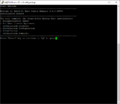 Press the Enter key to continue.
 -
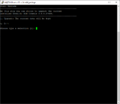 An existing Intel DCM Installation has been detected.
 -
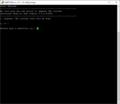 Type 1 to Upgrade the existing installation and press the Enter key.
 -
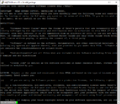 Read the EULA through and scroll down with Enter.
 -
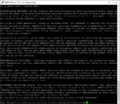 If you agree, type "accept" and confirm with Enter.
 -
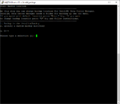 You can also select a directory of your choice as backup target.
 -
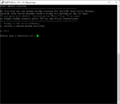 In this case the default backup directory is selected with 1. Press the Enter key.
 -
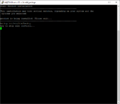 The process starts, a backup is created first.
 -
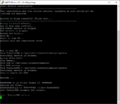 The upgrade process is running.
 -
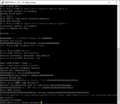 Intel DCM is restarted and the Upgrade was successful.
 -
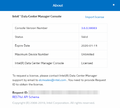 The web interface is now available again, the About display now shows Version number 3.6.0.38983.


 |
Author: Thomas Niedermeier Thomas Niedermeier working in the product management team at Thomas-Krenn, completed his bachelor's degree in business informatics at the Deggendorf University of Applied Sciences. Since 2013 Thomas is employed at Thomas-Krenn and takes care of OPNsense firewalls, the Thomas-Krenn-Wiki and firmware security updates.
|





