

 wiki
wikiInstall Open Source Firewall pfSense
pfSense is a software firewall solution based on FreeBSD. pfSense is installed on a dedicated server and requires at least two network interfaces to operate as a firewall. A user-friendly web interface is used to configure the firewall. Special FreeBSD know-how is therefore not required for managing the firewall. However, if you want to make any configuration changes directly via the command line, you should be accordingly familiar with FreeBSD.

Features
The following website lists the features of pfSense in detail:
Hardware Compatibility
Since pfSense is based on FreeBSD, the same hardware compatibility requirements apply as with FreeBSD. The following table shows the version schedule of the two OSes:
- Versions pfSense <-> FreeBSD (pfsense.org)
Note: Thomas-Krenn tested each of the following systems with pfSense 2.2 resp. FreeBSD 10.1-RELEASE-p4.
Compatible Systems from Thomas-Krenn
The following servers were tested with a pfSense installation by the Thomas-Krenn team:
1U Intel Single-CPU RI1102H Server P9D-MV
- Network chip used on the Asus P9D-MV Mainboard
- i210, supported since FreeBSD 9.1 (freebsd.org)
1U Intel Single-CPU RI1102H Server X10SLH-F
- Network chip used on the Supermicro_X10SLH-F_Motherboard
- i210, supported since FreeBSD 9.1 (freebsd.org)
Additional Network Cards
- Add-on card Intel I210-T1 single port
- See support onboard, i210
- Add-on card Intel I350-T2 dual port
- i350, supported since FreeBSD 8.3 (freebsd.org)
Hardware RAID Controllers
Note: The onboard RAID controller is not usable for RAIDs
- Adaptec
- Note: pfSense and FreeBSD come with aacraid 3.2.5 (see also FreeBSD 10.1-RELEASE Release Notes. Adaptec provides version 3.2.8 on its downloads page (see following wiki links). According to HCL, 3.2.5 also supports the following RAID controllers:
- Adaptec 6405 SAS2 4x internal
- Adaptec 8405 SAS3 4x internal
- Adaptec 8805 SAS3 8x internal
- Avago / LSI
- Note: pfSense and FreeBSD come with mrsas and mfi as drivers for Avago controllers. mfi is used as a driver for 9260, mrsas for all subsequent generations. According to Release Notes mrsas must be manually activated for the newer controllers:[1] The mfi(4) driver will attach to the controller, by default. To enable mrsas(4) add hw.mfi.mrsas_enable=1 to /boot/loader.conf, which turns off mfi(4) device probing. Tests at Thomas-Krenn have shown that a 9271-4i controller with the mfi driver also functions error-free!
- Avago MegaRAID 9260-4i SAS2 4x internal
- Avago MegaRAID 9271-4i SAS2 4x internal
- Avago MegaRAID 9271-8i SAS2 8x internal
- Avago MegaRAID 9361-4i SAS3 4x internal
- Avago MegaRAID 9361-8i SAS3 8x internal
Installation
You can also find helpful information about installing pfSense at:
- pfSense Installation (pfSense.org)
- Note: If you would like to install pfSense on a USB stick, please take a look at the article Install Open Source Firewall pfSense on an USB Stick!
The following installation methods are possible:
- Via Live CD with Installer
- For this installation type, please use the Live CD with Installer, which can be downloaded from the pfSense website - pfSense Download Mirrors
- It is recommended that you export the Live CD iso file via the IPMI-KVM console to the target system. You can boot from the virtual drive now. As an alternative, you can burn the Live CD to a disc and run it from a physical drive.
- Via Live CD with Installer on a USB stick
- For this installation type, please use the Live CD with Installer (on USB Memstick), which can be downloaded from the pfSense website. Choose VGA as console – pfSense Download Mirrors
- Create an USB stick if USB Memstick image will be used:
Note: All data on /dev/sdb will be overwritten. Replace /dev/sdb with the correct USB device if necessary!
$ gunzip pfSense-memstick-2.2-RELEASE-amd64.img.gz
$ sudo dd if=pfSense-memstick-2.2-RELEASE-amd64.img of=/dev/sdb bs=1M
Installation Dialogue
-
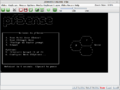 Pressing Enter starts the installation in default multi-user mode.
 -
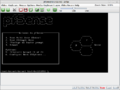 Loading the kernel.
 -
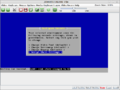 The default settings will be used for the console.
 -
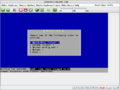 A quick installation is recommended for novices.
 -
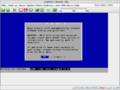 A warning stating that the hard drive will be formatted. All data on the hard drive will be lost.
 -
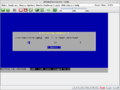 Copying installation data.
 -
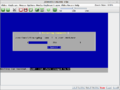
-
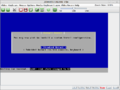 If needed, one can adjust the kernel configuration.
 -
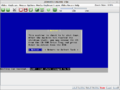 Once the installation data has been copied, the system will need a restart. After the reboot, one can configure the interfaces.
 -
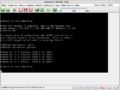 Rebooting.
 -
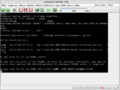 If desired, one can activate VLANs.
 -
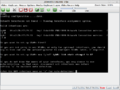 Selecting the WAN interface.
 -
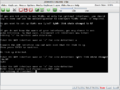 In this example, igb1 is the WAN interface.
 -
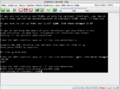 Selecting the LAN interface. In this example, igb0 is the LAN interface.
 -
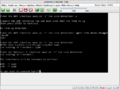 Confirming the WAN and LAN configuration.
 -
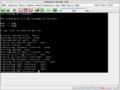 Applying the configuration.
 -
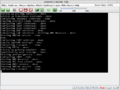
-
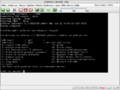 The pfSense shell offers several configuration options.
 -
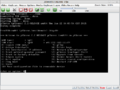 Number 8 starts a shell.
 -
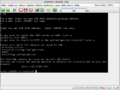 The shell shows us a hint regarding the web configurator.
 -
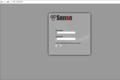 The default login is admin and pfSense.
 -
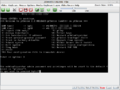 Number 3 can reset the password to pfSense.
 -
 The wizard helps with the most important settings.
 -
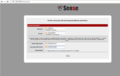 Here, host names, domains and DNS servers can be set.
 -
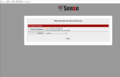 The time server can also be changed if needed.
 -
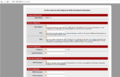 The configuration dialogue for the WAN interface.
 -
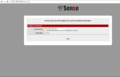 Configuring the LAN interface.
 -
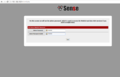 It is highly advisable to change the default password immediately.
 -
 Reloading the configuration.
 -
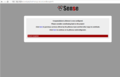 The wizard is now complete.
 -
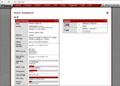 The dashboard offers a good overview of the current status.
 -
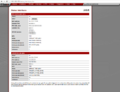


Debug Readouts for Add-on Cards
- I210-T1 single port
# pciconf -lv
igb0@pci0:1:0:0:	class=0x020000 card=0x00028086 chip=0x15338086 rev=0x03 hdr=0x00
    class      = network
    subclass   = ethernet
# dmesg | grep igb0
igb0: <Intel(R) PRO/1000 Network Connection version - 2.4.0> mem 0xde200000-0xde2fffff,0xde300000-0xde303fff irq 16 at device 0.0 on pci1
- Intel I350-T2 dual port
# dmesg |grep igb0
igb0: <Intel(R) PRO/1000 Network Connection version - 2.4.0> mem 0xde200000-0xde2fffff,0xde304000-0xde307fff irq 16 at device 0.0 on pci1
# dmesg | grep igb1
igb1: <Intel(R) PRO/1000 Network Connection version - 2.4.0> mem 0xde100000-0xde1fffff,0xde300000-0xde303fff irq 17 at device 0.1 on pci1
# pciconf -lv
igb0@pci0:1:0:0:	class=0x020000 card=0x00028086 chip=0x15218086 rev=0x01 hdr=0x00
    class      = network
    subclass   = ethernet
igb1@pci0:1:0:1:	class=0x020000 card=0x00028086 chip=0x15218086 rev=0x01 hdr=0x00
    class      = network
    subclass   = ethernet
References
- ↑ FreeBSD Revision 265922, adding mrsas driver (freebsd.org)
Author: Georg Schönberger





