

 wiki
wikiRedfish Host Interface
The Redfish specification for remote maintenance of server systems also provides for possible in-band access directly on the server. Such access is, for example, possible via Virtuelles Netzwerkinterface enx von ASUS Mainboards. In this article, we show how to use Redfish in-band.
Determine the required network settings

The required settings must be queried via DMI type 42 (Management Controller Host Interface):
root@PMX6:~# dmidecode -t 42
# dmidecode 3.4
Getting SMBIOS data from sysfs.
SMBIOS 3.5.0 present.

Handle 0x0016, DMI type 42, 17 bytes
Management Controller Host Interface
        Host Interface Type: KCS: Keyboard Controller Style

Handle 0x006A, DMI type 42, 131 bytes
Management Controller Host Interface
        Host Interface Type: Network
        Device Type: USB
        idVendor: 0x046b
        idProduct: 0xffb0
        Protocol ID: 04 (Redfish over IP)
                Service UUID: 16792e94-a6b9-1000-01cf-3d33c9bc36a0
                Host IP Assignment Type: Static
                Host IP Address Format: IPv4
                IPv4 Address: 169.254.0.18
                IPv4 Mask: 255.255.0.0
                Redfish Service IP Discovery Type: Static
                Redfish Service IP Address Format: IPv4
                IPv4 Redfish Service Address: 169.254.0.17
                IPv4 Redfish Service Mask: 255.255.0.0
                Redfish Service Port: 443
                Redfish Service Vlan: 0
                Redfish Service Hostname:
Adjustment of network settings
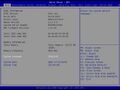
If another IP address should be used, they can be defined via BIOS:
-
-
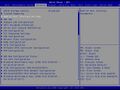 The Redfish Host Interface Settings menu item can be accessed under Advanced.
 -
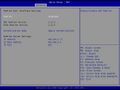 Options in the BIOS area Advanced ‣ Redfish Host Interface Settings.


Configuration of network on the host
The following network settings must be made on the host:
# modprobe cdc_ether
# ip addr add 169.254.0.18/16 dev enxae4eb934e8bc
# ip link set dev enxae4eb934e8bc up
The IP of the Redfish service of the BMC can be reached via ping:
$ ping 169.254.0.17
PING 169.254.0.17 (169.254.0.17) 56(84) bytes of data.
64 bytes from 169.254.0.17: icmp_seq=1 ttl=64 time=0.376 ms
64 bytes from 169.254.0.17: icmp_seq=2 ttl=64 time=0.322 ms
After this, a Redfish access is possible via TLS.
More information
- Redfish Host Interface Specification (www.dmtf.org)
References
- ↑ Redfish Host Interface: UEFI and OS Implications (uefi.org, Spring 2019 UEFI Plugfest ‐ April 8‐12, 2019), Video: Redfish Host Interface (youtube.com)
 |
Author: Werner Fischer Werner Fischer, working in the Knowledge Transfer team at Thomas-Krenn, completed his studies of Computer and Media Security at FH Hagenberg in Austria. He is a regular speaker at many conferences like LinuxTag, OSMC, OSDC, LinuxCon, and author for various IT magazines. In his spare time he enjoys playing the piano and training for a good result at the annual Linz marathon relay.
|
 |
Translator: Alina Ranzinger Alina has been working at Thomas-Krenn.AG since 2024. After her training as multilingual business assistant, she got her job as assistant of the Product Management and is responsible for the translation of texts and for the organisation of the department.
|





