

 wiki
wikiProxmox Backup Server Installation
These step by step instructions describe the installation of the Proxmox Backup Servers including ZFS RAID 1 (Mirror).
-
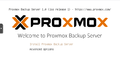 Insert ISO, boot from it, and select "Install Proxmox Backup Server".
 -
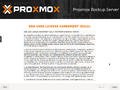 Accept EULA
 -
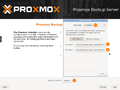 Under Options, you can implement the installation via ZFS RAID 1. To do this, select the two OS devices.
 -
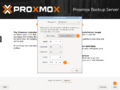 The HDD size must be verified in the Advanced Options (should correspond to the size of the OS-SSDs).
 -
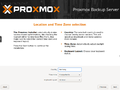 Select location and click on "Next".
 -
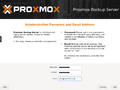 Assign password and email address. You can also temporarily end the email address with .local and change it later.
 -
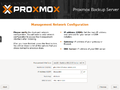 Select the network interface for the Web-MGMT, assign a host name, IP address (CIDR), gateway, and store the DNS server.
 -
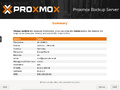 Verify the input in the summary and click on "Install".
 -
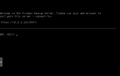 After the installation, you will find yourself in the login (Shell).
 -
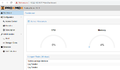 You can access on the PBS via web https://IP-ADRESSE-DES-SERVERS:8007.


 |
Author: Jonas Sterr Jonas Sterr has been working for Thomas-Krenn for several years. Originally employed as a trainee in technical support and then in hosting (formerly Filoo), Mr. Sterr now mainly deals with the topics of storage (SDS / Huawei / Netapp), virtualization (VMware, Proxmox, HyperV) and network (switches, firewalls) in product management at Thomas-Krenn.AG in Freyung.
|
 |
Translator: Alina Ranzinger Alina has been working at Thomas-Krenn.AG since 2024. After her training as multilingual business assistant, she got her job as assistant of the Product Management and is responsible for the translation of texts and for the organisation of the department.
|





