

 wiki
wikiSSD firmware update with storcli
The Storage Command Line Tool (StorCLI) is the command line management software used for MegaRAID controllers.
In this article, we explain how to identify the right contoller or SSD and how to update the firmware via storcli.
An X12DPi-NT6 with a Broadcom HBA 9500-8i was used for testing. It was built in a 2HE Supermicro Chassis SC216BE1C-R920LPB with SAS III Expander-Backplane SC216BE1C and the 7,68 TB Samsung PM893 2,5" SATA SSD was used as SSD, from which the FW was updated.
Installation of storcli under Proxmox
The package for the installation of storlci was directly downloaded by the manufacturer Broadcom. Since a 9500-8i HBA was installed in our test, we find "storcli" under Downloads at Management Software and Tools. https://www.broadcom.com/products/storage/host-bus-adapters/sas-nvme-9500-8i
You can install the package with the following command: dpkg -i storcli_versionnumber_all.deb As Proxmox is based on Debian, you will find the suitable file in the archive under the Ubuntu folder.
root@pbs01:/opt/MegaRAID/storcli# dpkg -i storcli_007.2610.0000.0000_all.deb
Show - Display the controllers installed in the system
This command displays all controllers that are installed in the server and can be found by storlci. Marked "CTL 0" in the image, this stands for Controller 0. If several controllers are installed, there are also ctl1, ctl2, etc. (with Storcli, the corresponding controller is then addressed with /c0 /c1).
root@pbs01:/opt/MegaRAID/storcli# ./storcli64 show
-
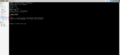 CTL0 it the installed controller
.png)
Show /c0
With the "/c0 show" command, you will receive some information on controllers including which records are plugged in. "./storcli64 /c0 show" (The controller 0 is selected with c0 and the information presented by it)
The EID:Slt is important for the further process here. This refers to the enclosure ID and the slot number of the SSD. These two pieces of information are needed to select and flash the SSD.
-
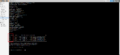 EID:Slt -Enclosure ID: Slot
.png)
root@pbs01:/opt/MegaRAID/storcli# ./storcli64 /c0 show
CLI Version = 007.2610.0000.0000 April 14, 2023
Operating system = Linux 5.15.102-1-pve
Controller = 0
Status = Success
Description = None

Product Name = HBA 9500-8i
Serial Number = SKC2211716
SAS Address =  500062b20ee6bfc0
PCI Address = 00:18:00:00
System Time = 07/31/2023 11:32:09
FW Package Build = 23.00.00.00
FW Version = 23.00.00.00
BIOS Version = 09.45.00.00_23.00.00.00
NVDATA Version = 23.00.00.09
Driver Name = mpt3sas
Driver Version = 40.100.00.00
Bus Number = 24
Device Number = 0
Function Number = 0
Domain ID = 0
Vendor Id = 0x1000
Device Id = 0xE6
SubVendor Id = 0x1000
SubDevice Id = 0x4060
Board Name = HBA 9500-8i
Board Assembly = 03-50077-03002
Board Tracer Number = SKC2211716
Security Protocol = None
Package Stamp Mismatch = No
Physical Drives = 5

PD LIST :
=======

---------------------------------------------------------------------------------
EID:Slt DID State DG     Size Intf Med SED PI SeSz Model                      Sp
---------------------------------------------------------------------------------
5:0       0 JBOD  -  6.985 TB SATA SSD -   -  512B SAMSUNG MZ7L37T6HBLA-00A07 -
5:1       1 JBOD  -  6.985 TB SATA SSD -   -  512B SAMSUNG MZ7L37T6HBLA-00A07 -
5:2       2 JBOD  -  6.985 TB SATA SSD -   -  512B SAMSUNG MZ7L37T6HBLA-00A07 -
5:3       3 JBOD  -  6.985 TB SATA SSD -   -  512B SAMSUNG MZ7L37T6HBLA-00A07 -
5:4       4 JBOD  -  6.985 TB SATA SSD -   -  512B SAMSUNG MZ7L37T6HBLA-00A07 -
---------------------------------------------------------------------------------

EID-Enclosure Device ID|Slt-Slot No|DID-Device ID|DG-DriveGroup
UGood-Unconfigured Good|UBad-Unconfigured Bad|Intf-Interface
Med-Media Type|SED-Self Encryptive Drive|PI-Protection Info
SeSz-Sector Size|Sp-Spun|U-Up|D-Down|T-Transition

Requested Boot Drive = Not Set
----------------------------------------------------------------------------

root@pbs01:/opt/MegaRAID/storcli# dpkg -i storcli_007.2610.0000.0000_all.deb
/sall show - Display all inserted disks
All plates, that are connected to Enclosure 5 "e5", can be displayed with "/sall".
root@pbs01:/opt/MegaRAID/storcli# ./storcli64 /c0/e5/sall show
CLI Version = 007.2610.0000.0000 April 14, 2023
Operating system = Linux 5.15.102-1-pve
Controller = 0
Status = Success
Description = Show Drive Information Succeeded.


Drive Information :
=================

---------------------------------------------------------------------------------
EID:Slt DID State DG     Size Intf Med SED PI SeSz Model                      Sp
---------------------------------------------------------------------------------
5:0       0 JBOD  -  6.985 TB SATA SSD -   -  512B SAMSUNG MZ7L37T6HBLA-00A07 -
5:1       1 JBOD  -  6.985 TB SATA SSD -   -  512B SAMSUNG MZ7L37T6HBLA-00A07 -
5:2       2 JBOD  -  6.985 TB SATA SSD -   -  512B SAMSUNG MZ7L37T6HBLA-00A07 -
5:3       3 JBOD  -  6.985 TB SATA SSD -   -  512B SAMSUNG MZ7L37T6HBLA-00A07 -
5:4       4 JBOD  -  6.985 TB SATA SSD -   -  512B SAMSUNG MZ7L37T6HBLA-00A07 -
---------------------------------------------------------------------------------

EID=Enclosure Device ID|Slt=Slot No|DID=Device ID|DG=DriveGroup
DHS=Dedicated Hot Spare|UGood=Unconfigured Good|GHS=Global Hotspare
UBad=Unconfigured Bad|Sntze=Sanitize|Onln=Online|Offln=Offline|Intf=Interface
Med=Media Type|SED=Self Encryptive Drive|PI=PI Eligible
SeSz=Sector Size|Sp=Spun|U=Up|D=Down|T=Transition|F=Foreign
UGUnsp=UGood Unsupported|UGShld=UGood shielded|HSPShld=Hotspare shielded
CFShld=Configured shielded|Cpybck=CopyBack|CBShld=Copyback Shielded
UBUnsp=UBad Unsupported|Rbld=Rebuild
Updating firmware
The corresponding SSD must be selected to update the firmware ("./storcli64 /cx/ex/sx") and the FW-file must be made available for download (download src=FW-name.bin). The FW-file is stored in the storcli folder. "Download" essentially only downloads the file from the server to the SSD. In our example:"./storcli64 /c0/e5/s0 download src=JXTC404Q_PM893.bin"
root@pbs01:/opt/MegaRAID/storcli# ./storcli64 /c0/e5/s0 download src=JXTC404Q_PM893.bin
Starting microcode update.please wait...
CLI Version = 007.2610.0000.0000 April 14, 2023
Operating system = Linux 5.15.102-1-pve
Controller = 0
Status = Success
Description = Firmware Download Succeeded.
-
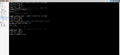 Read out FW and update it from JXTC303Q to JXTC403Q
.png)
 |
Author: Leo Dirr Leo Dirr joined Thomas-Krenn in 2018 to work in technical support. At the moment Leo is specializing in Windows Server, Software-Defined technologies and networking.
|
 |
Translator: Alina Ranzinger Alina has been working at Thomas-Krenn.AG since 2024. After her training as multilingual business assistant, she got her job as assistant of the Product Management and is responsible for the translation of texts and for the organisation of the department.
|





