

 wiki
wikiRack Mounting of Supermicro Servers
In this article I want to show you how to assemble your Supermicro server into the server rack correctly.
SC216, SC825, SC825M, SC826, SC835, SC836, SC846, SC847, 6026TT, 20274TR, 5037MC
In the following gallery you will find a detailed guide on rack mounting your server.
This example was created using a Supermicro SC216 server. The installation is exactly the same for the following servers listed below:
SC825, SC825M, SC826, SC835, SC836, SC846, SC847, 6026TT, 20274TR, 5037MC
-
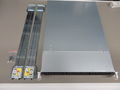 In this overview you can see the complete set of server rack rails for the (SC216) server.
 -
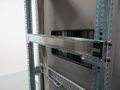 Here you can see how the rack rails must be snapped into the rack (you can also fix the rails with screws).
 -
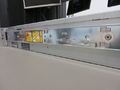 A portion of the slide assemblies must be attached directly to the server. These rails should be pushed from back to the front into the brackets and are secured with a screw.
 -
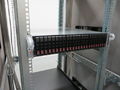 Lastly, the server rails are slid into the rack rails.


SC813M, SC815, 1027R
In the following gallery you will find a detailed guide on rack mounting your server.
This example was created using a Supermicro SC813M server. The installation is exactly the same for the following servers listed below:
SC815, 1027R
-
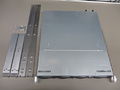 In this overview you can see the complete set of server rack rails for the (SC813M).
 -
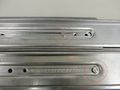 First you need to assemble the two rail parts. For this you have to insert the pins of the longer portion into the shorter part and slide them into each other.
 -
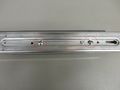 Now, the two rails must be adjusted to the rack length and fixed into place with two screws.
 -
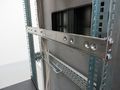 Here you will see how to screw the rack rails into the server rack.
 -
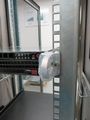 Lastly, the server rails are slid into the rack rails. With an additional screw the server can be fixed firmly to the server cabinet.


CSE512, CSE513
In the following gallery you will find a detailed guide on rack mounting your server.
This example was created using a Supermicro CSE512 server. The installation is exactly the same for the following servers listed below:
CSE513
-
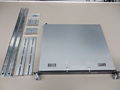 In this overview you can see the complete set of server rack rails for the (SCE512).
 -
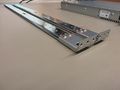 First, the rails have to be assembled. Here you have to attach the small angled plates to the rails using 2 screws
 -
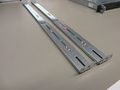 Now attach the slightly larger angled plates tightly with 3 screws to the rails. Take particular note of the length of your server rack.
 -
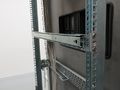 Here you will see how to screw the rack rails into the server rack.
 -
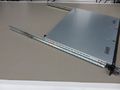 A portion of the slide assemblies must be attached directly to the server. Each side needs to be fixed with 2 screws.
 -
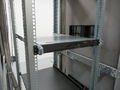 Now the server rails are slid into the rack rails.
 -
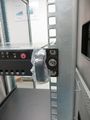 With an additional screw the server can be fixed firmly to the server cabinet.


Chenbro SR105, SR108
If you have difficulty installing the rack rails of a Chenbro chassis, please refer to the following two links which provide instructions.
Rackschienen-Montage vorbereiten
 |
Author: Armin Oberneder Armin Oberneder has been working for Thomas-Krenn.AG for over 7 years now. He is currently employed in the consulting team and thus takes care of all customer-specific inquiries concerning servers, storage, virtualization and networks. In the past years Armin has specialized in Windows Server, Software-Defined-Technologies and Network Technology. Due to these specializations, he also ensures that our customers are helped as quickly as possible in the event of problems by means of a ticket system, by telephone or in writing via e-mail.
|





