

 wiki
wikiRAID Controller Management and monitoring on VMware vSphere
| Please note that this article / this category refers either on older software / hardware components or is no longer maintained for other reasons. This page is no longer updated and is purely for reference purposes still here in the archive available. |
|---|
The monitoring of the server hardware, especially the individual data carriers including RAID controller and configured RAIDs, plays a major role in the administrative daily routine. In this article we summarize the RAID monitoring options for both RAID controller manufacturers, MegaRAID and Adaptec RAID Controller, and show which steps are necessary.
MegaRAID
When installed with the original VMware vSphere ISO, three additional components are required for the MegaRAID Controller monitoring to work. The first component is the latest RAID controller driver, the latest version of which can be downloaded directly from VMware HCL for each vSphere version. The other two components are the command line tool storcli, which is available directly from the Broadcom Download in the latest version and the latest SMIS (CIM) Provider.
Extract the .vib files from all archives and copy them via WinSCP into the /tmp directory of the vSphere host. Then you can install the drivers with the following command:
esxcli software vib install -v /tmp/<name>.vib --no-sig-check
For the change to take effect, the host must be restarted.
Note: If you used our VMware vSphere Custom ISO for installation, or your system was already pre-installed, no additional drivers need to be installed.
storcli
The command line tool is located in the /opt/lsi/storcli directory directly on the ESXi host and can be run with the following command:
/opt/lsi/storcli/storcli
-
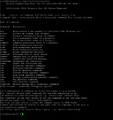 storcli on VMware vSphere Console

LSI Storage Authority (LSA)
The storage software LSI Storage Authority (LSA) is the successor of the MegaRAID Storage Manager and is suitable for controllers from series 93xx on. The installation of the software can be done on a Windows client in the same IP subnet in a few steps:
-
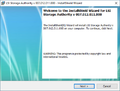 Start the installer with "Next"
 -
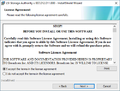 Accept the EULA
 -
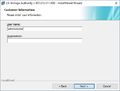 Enter the Windows user name
 -
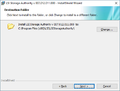 Confirm or change the installation path
 -
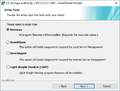 Select an installation type, gateway is the default option
 -
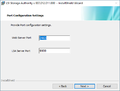 Confirm the ports
 -
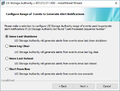 Select an option for the event log
 -
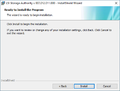 Start the installation with "Install"
 -
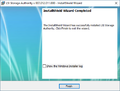 Finish the installation with "Finish"


Afterwards, the ESXi host can be added via a Manual Discover. Please use the ESXi root user credentials for the login information.
-
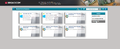 Select "Manual discovery"
 -
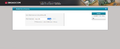 Enter the IP address of the ESXi host
 -
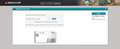 Add the server with "Add"
 -
 Specify the root credentials
 -
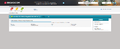 Overview RAID controller


Adaptec
Even with an Adaptec RAID controller three components have to be installed if the installation was done with the original VMware vSphere ISO. You need the latest RAID controller driver from the VMware HCL and the command line tool arcconf including CIM provider from the latest maxView Storage Manager Download.
Unzip all .vib files and copy them via WinSCP to the /tmp directory of the ESXi host.
The arcconf.vib and cim-provider.vib file can be found in the maxView Storage Manager for VMware archive under /cim/esxi6_7/cim.
You can install the drivers with the following command:
esxcli software vib install -v /tmp/<name>.vib --no-sig-check
Note: If you used our VMware vSphere Custom ISO for the installation, or your system was already pre-installed, only the CIM provider must be installed.
arcconf
The command line tool can be found in the /opt/pmc directory of the ESXi host and you can run it as follows:
-
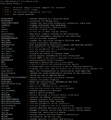 arcconf on VMware vSphere Console

maxView Storage Manager
The maxView Storage Manager software can be installed on a Windows client in the same IP subnet. After the standard configuration, you have to log in with the Windows login data, after which the ESXi host can be added as a remote system.
-
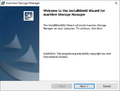 Start the installer with "Next"
 -
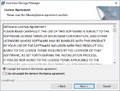 Accept the EULA
 -
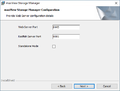 Confirm the ports
 -
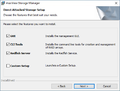 Confirm the selection
 -
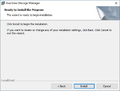 Start the installation
 -
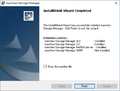 Finish the installation with "Finish"
 -
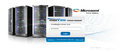 Log on with the Windows credentials
 -
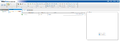 Select "Add System"
 -
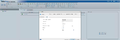 Enter the data of the ESXi host
 -
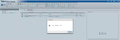 System was added
 -
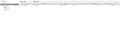 RAID controller Status


Author: Sebastian Köbke





