

 wiki
wikiOPNsense add interface
OPNsense has two network interfaces (LAN and WAN) after a standard installation. In this article, we will show you how to add another network interface. This is required, for example, for a DMZ or in an HA cluster setup for connection state synchronization (pfSync).
Add network interface
The following screenshots of OPNsense 19.7 show how to add a network interface. In this example a LES compact 4L is used:
-
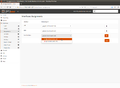 Select the desired network interface under Interfaces ‣ Assignment in the area New interface.
 -
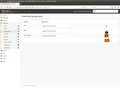 Click on the + symbol.
 -
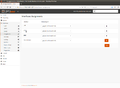 Click on OPT1.
 -
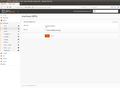 Click on Enable Interface.
 -
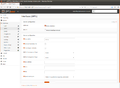 The possible configuration fields appear.
 -
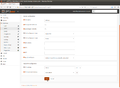 Customize Description (here PFSYNC), IPv4 Configuration Type (here Static IPv4), and the desired IP configuration.
 -
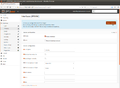 Click on Apply changes.
 -
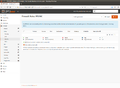 Under 'Firewall ‣ Rules ‣ PFSYNC you can now configure firewall rules.


 |
Author: Werner Fischer Werner Fischer, working in the Knowledge Transfer team at Thomas-Krenn, completed his studies of Computer and Media Security at FH Hagenberg in Austria. He is a regular speaker at many conferences like LinuxTag, OSMC, OSDC, LinuxCon, and author for various IT magazines. In his spare time he enjoys playing the piano and training for a good result at the annual Linz marathon relay.
|





