


 wiki
wikiGenerate and Download ESXi 6.5 Logs
VMware ESXi 6.5 provides multiple log files to help identify the root causes of problems. In this article we will show you how to retrieve the log files of an ESXi host in a bundled way.
Log in to the ESXi Server's host client by connecting to a web browser at https://ESXI-IP-ADRESSE/UI. Then do the following:
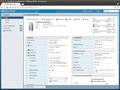
Click Monitor.
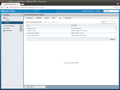
Click Logs.
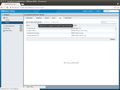
Click Generate support bundle.
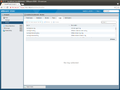
The creation takes several minutes. Wait until the creation is complete.
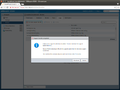
Click Download.
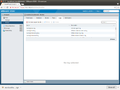
Open the archive.
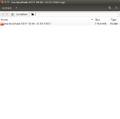
Content of the archive.
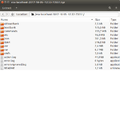
Further content of the archive.
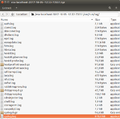
In the subfolger /esx.../var/run/log you will find important log files like syslog.log.


 |
Author: Werner Fischer Werner Fischer, working in the Knowledge Transfer team at Thomas-Krenn, completed his studies of Computer and Media Security at FH Hagenberg in Austria. He is a regular speaker at many conferences like LinuxTag, OSMC, OSDC, LinuxCon, and author for various IT magazines. In his spare time he enjoys playing the piano and training for a good result at the annual Linz marathon relay.
|
