

 wiki
wikiFirmware Update (MegaRAID Controller) via MegaRAID Storage Manager
This article describes the firmware update procedure of a MegaRAID controller via the MegaRAID Storage Manager (MSM). The Storage Manager enables an update via the graphical user interface. No restart is then required, although it should still be carried out.
Condition
- The latest version of the MegaRAID Storage Manager must be installed on the local system and operational.
- You can find all necessary downloads in our download area: Downloads
Firmware Update
Now log on the MegaRAID Storage Manager using the server’s local credentials.
‘‘‘After that, please follow the steps oft he following picture gallery:‘‘‘
-
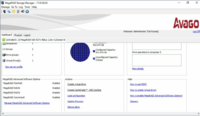 Now press the button: ‘‘‘Update Firmware‘‘‘
 -
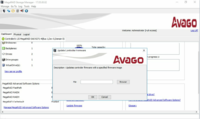 Now add the previously downloaded update file. Click on Browse.
 -
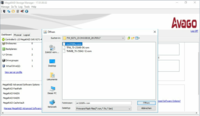 Select the mrxxxxxxx. rom file and press OK.
 -
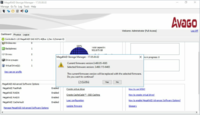 Now you will be informed once again which firmware is currently installed on the controller and which is flashed to the controller right now. Please click on Confirm and confirm with Yes.
 -
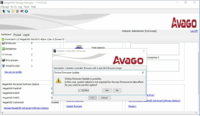 In this step, the controller indicates that an online firmware update could now be performed. No restart is required.
 -
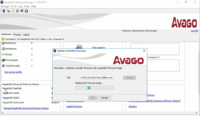 Now the update is performed and the controller firmware is updated to the latest version. Then confirm with OK.
 -
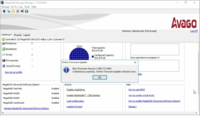 The firmware update has been completed successfully. Then you ca´n restart the server.


 |
Author: Theresa Lorenz Theresa Lorenz has been with Thomas-Krenn.AG since 2013. After completing her training as an IT specialist, she assisted customers with support requests. With the experience she gained, she then switched to production and created assembly instructions and documentation for production and quality assurance processes. She is now team leader of the entire assembly team in our production department. In her free time, she enjoys sports and cultivating her friendships.
|





