

 wiki
wikiCreate Adaptec SmartRAID RAID via BIOS
A RAID array of a Adaptec SmartRAID 3100 Controller can be set up via BIOS or arcconf/maxView software. In this article we show you how to create a RAID array via BIOS.
Create RAID Array and Logical Drive
The following example shows the configuration of a RAID 5 array with four SSDs:
-
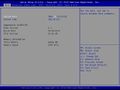 Go to Advanced.
 -
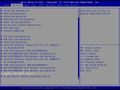 Select the entry Adaptec SmartRAID ....
 -
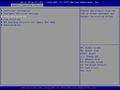 Select Array Configuration.
 -
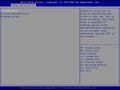 Select Create Array.
 -
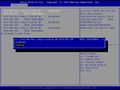 Select all required data carriers by setting to Enabled.
 -
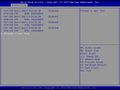 Select Proceed to next Form.
 -
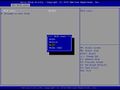 Select the desired RAID Level.
 -
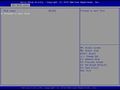 Confirm via Proceed to next Form.
 -
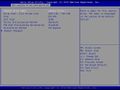 The 'Logical Drive can now be customized. If several drives are to be set up on the RAID array, reduce the size accordingly.
 -
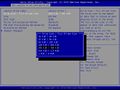 The listed strip sizes are available.
 -
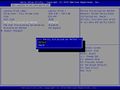 The methods listed for initializing parity are supported.
 -
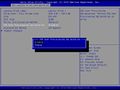 SSD Over Provisioning Optimization is disabled by default.
 -
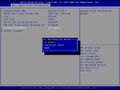 The following acceleration methods are available.
 -
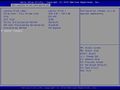 Select Submit Changes.
 -
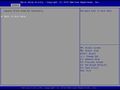 The creation of the Logical Drive is completed.


 |
Author: Werner Fischer Werner Fischer, working in the Knowledge Transfer team at Thomas-Krenn, completed his studies of Computer and Media Security at FH Hagenberg in Austria. He is a regular speaker at many conferences like LinuxTag, OSMC, OSDC, LinuxCon, and author for various IT magazines. In his spare time he enjoys playing the piano and training for a good result at the annual Linz marathon relay.
|


Related articles
Adaptec arcconf CLI Commands
Adaptec SmartRAID Firmware Update Procedure
Adaptec SmartRAID smartpqi Linux Driver



