

 wiki
wikiAdaptec SmartRAID Firmware Update Procedure
The firmware of a Adaptec SmartRAID 3100 Controller can be updated via the BIOS, arcconf or maxView software. In this Wiki article we show the firmware update via the BIOS.
Prepare update
In preparation, load the current firmware onto a USB stick. Current firmware versions are available in the download area at Thomas-Krenn:
- Microchip Adaptec SmartRAID 3101-4i SAS-SATA
- Microchip Adaptec SmartRAID 3102-8i SAS-SATA
- Microchip Adaptec SmartRAID 3151-4i SAS-SATA incl. cache protection
- Microchip Adaptec SmartRAID 3152-8i SAS-SATA incl. cache protection
Perform update
To update the firmware via BIOS, restart the server with the Microsemi SmartRAID 3100 Controller and switch to BIOS. Then perform the following steps:
-
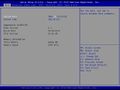 Go to Advanced.
 -
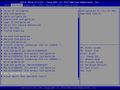 Select the entry MSCC/Adaptec SmartRAID ....
 -
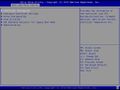 The main menu of the controller appears. Select Controller Information.
 -
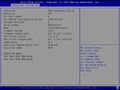 The current firmware version (in the example 1.32) is displayed. Press Esc.
 -
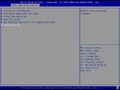 Select Administration.
 -
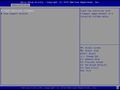 Confirm Flash Controller Firmware.
 -
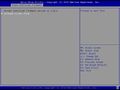 Plug in a USB stick with the new firmware and confirm Proceed to next Form.
 -
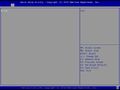 Confirm the volume fs0:.
 -
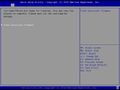 Select Flash Controller Firmware and wait several minutes (no progress indicator will appear).
 -
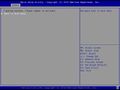 After a few minutes the update is complete. Restart the system.


 |
Author: Werner Fischer Werner Fischer, working in the Knowledge Transfer team at Thomas-Krenn, completed his studies of Computer and Media Security at FH Hagenberg in Austria. He is a regular speaker at many conferences like LinuxTag, OSMC, OSDC, LinuxCon, and author for various IT magazines. In his spare time he enjoys playing the piano and training for a good result at the annual Linz marathon relay.
|





