

 wiki
wikiActivation of Q-Feeds webinterface and licenses
Q-Feeds, the cybersecurity plugin, provides a Cloud platform with a variety of information. With this, licenses can be added to the own account and tokens can be created for devices such as OPNsense-firewalls. This article shows how to add a license and create a token for your firewall in the Q-Feeds Threat Intelligence Platform v2.3.

Cloud platform login
Log in to tip.qfeeds.com, or create a new account.

Q-Feeds dashboard
Now, the dashboard is displayed after the login.

Add and administrate license
This paragraph shows how to activate a license and add it to your account.
-
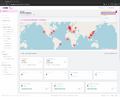 Click on your account name in the top right-hand corner, then select Licenses.
 -
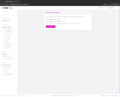 Then click on the Activate License button in the top-right corner. A menu will then appear; enter the licence key and click on Activate License.
 -
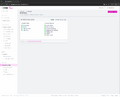 The license has been added and is now active.


Create API key for terminal devices such as OPNsense firewalls
This paragraph shows how to create API keys for your OPNsense firewalls. Such a key is required for the Q-Feeds plugin on the OPNsense firewall.
-
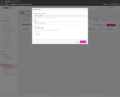 In the dashboard, click on Account Settings in the bottom-left corner, then click on the API KEYS tab. You can now add a key using the Add API Key button. Enter a description and select a valid licence in the Assign License field. Click on Save Key.
 -
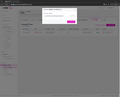 The API token appears. Copy it and paste it into the OPNsense firewall using the Q-Feeds plugin.


 |
Author: Thomas Niedermeier Thomas Niedermeier working in the product management team at Thomas-Krenn, completed his bachelor's degree in business informatics at the Deggendorf University of Applied Sciences. Since 2013 Thomas is employed at Thomas-Krenn and takes care of OPNsense firewalls, the Thomas-Krenn-Wiki and firmware security updates.
|
 |
Translator: Alina Ranzinger Alina has been working at Thomas-Krenn.AG since 2024. After her training as multilingual business assistant, she got her job as assistant of the Product Management and is responsible for the translation of texts and for the organisation of the department.
|





